Flying the A32X in the browser
Unofficial. Not affiliated with Airbus, FlyByWire Simulations or Aerowinx. Not for type training.
What it is
The A32X flies an Airbus A320 in a web page. Its flight controls are FlyByWire's A32NX flight-control computers — the A320's pitch and roll laws, built from the A32NX's own source — on a JSBSim airframe fitted to the A320's published performance. The flight runs at fifty steps a second in the page's background worker, from a folder on your disk: no server, no network, nothing to install.
The view outside is drawn as a full-flight simulator of the 1980s drew it — light points, flat-shaded polygons, a horizon in haze — at Dallas/Fort Worth International, KDFW, on runway 17C.
Today the simulator is for one thing above all: flying an ILS approach by hand, and being judged on it (the P7 gate, below). There is no autopilot, no autothrust and no FMS yet, and the flight deck's screens are placeholders until the next phase draws the real ones.
This is an unofficial training aid, not affiliated with Airbus, FlyByWire Simulations or Aerowinx, and not suitable for type training. Nothing in it is fit for navigation.
Getting it running
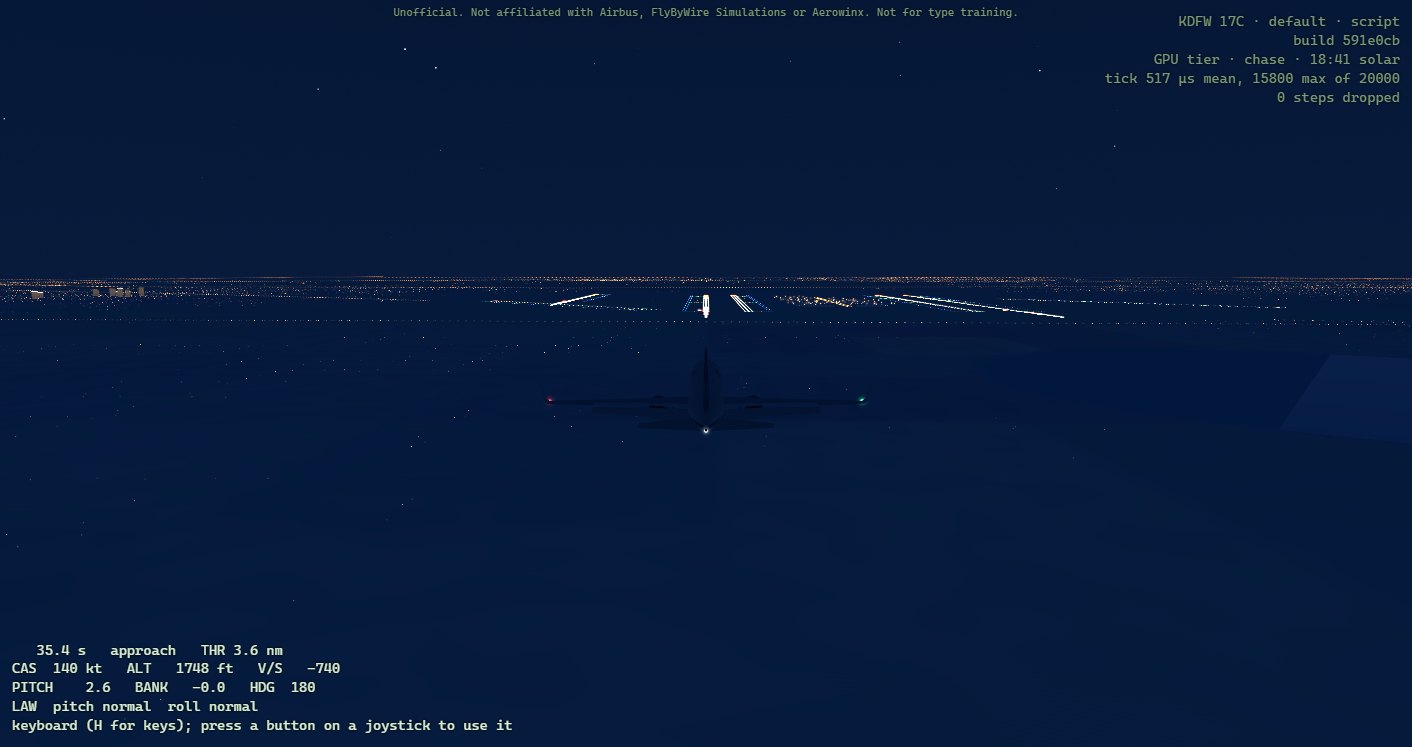
Open index.html from the page's folder in Chrome or Edge: flight/build-web/ when you build it yourself, or the release's own folder. The page loads the flight core, draws the airport, and starts the flight. Its top-right corner says which airport and runway it drew, which airframe is flying, who is flying it, and which build of the simulator this is, the commit it was made from (a build made from uncommitted changes, +dirty, is marked in amber: the gate does not take it); under that, how it draws, and how much each step of the flight costs. The pictures in this guide were taken just before their release was cut, so the build their status line names is that one; yours names the build you are flying.
To build it, flight/README.md ("The browser simulator") has the steps: the flight core through Emscripten, then node tools/build.mjs --core <flight_core.js> in flight/web.
Two tiers. The page chooses how to draw from what draws it:
- With a graphics card, the GPU tier: the sky computed for any hour of 1 November, haze over everything, the country round DFW — its lakes, the Trinity, the towns' lights — and the Dallas skyline, Reunion Tower among it.
- Without one, when the computer draws every pixel itself (Windows' WARP, or SwiftShader), the floor tier: the same airport, plainer, so the flight keeps its fifty steps a second.
tier=low or tier=high in the address forces either.
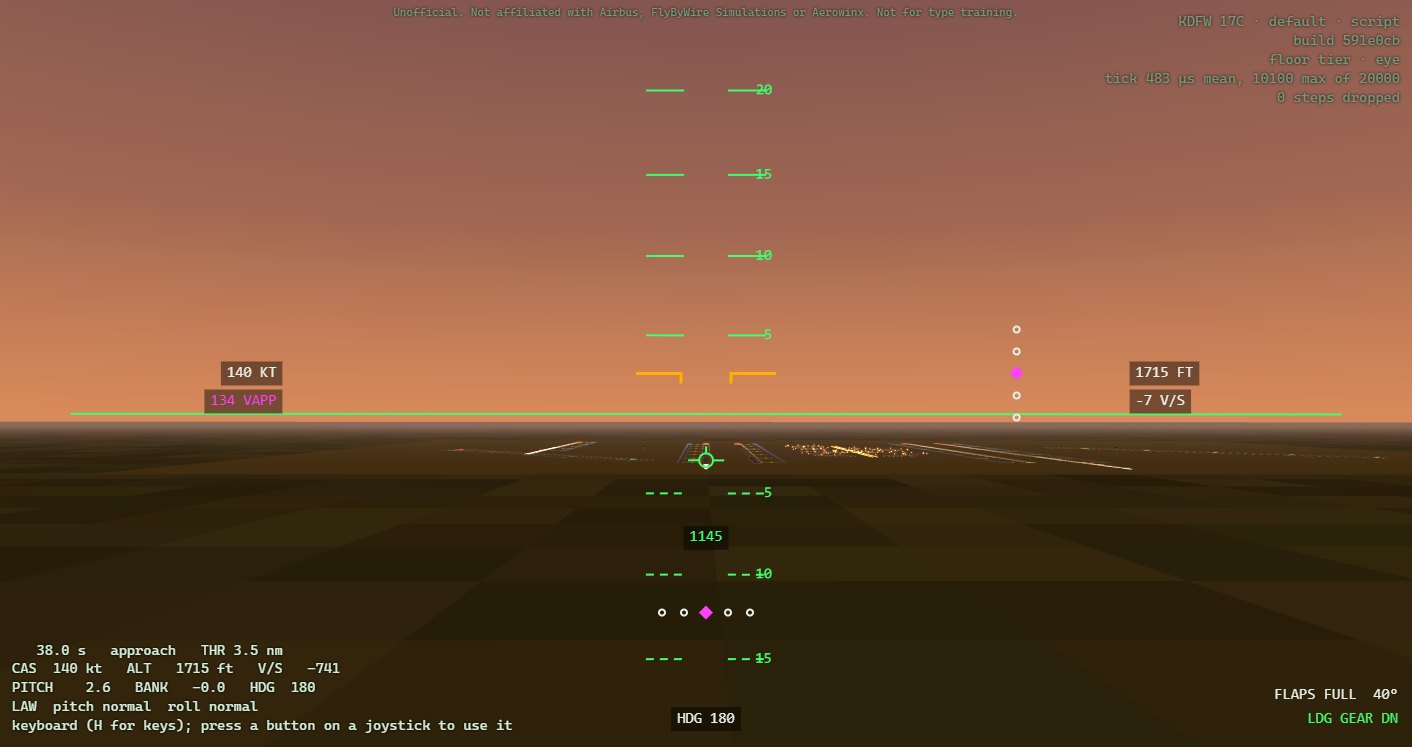
Your first flight: watch the crew
Open the page with ?crew=script&scenario=approach after index.html. The scripted crew flies the ILS to 17C from 10 nm, lands and stops; you watch. Change the camera with the number keys, and at the stop the verdict appears.
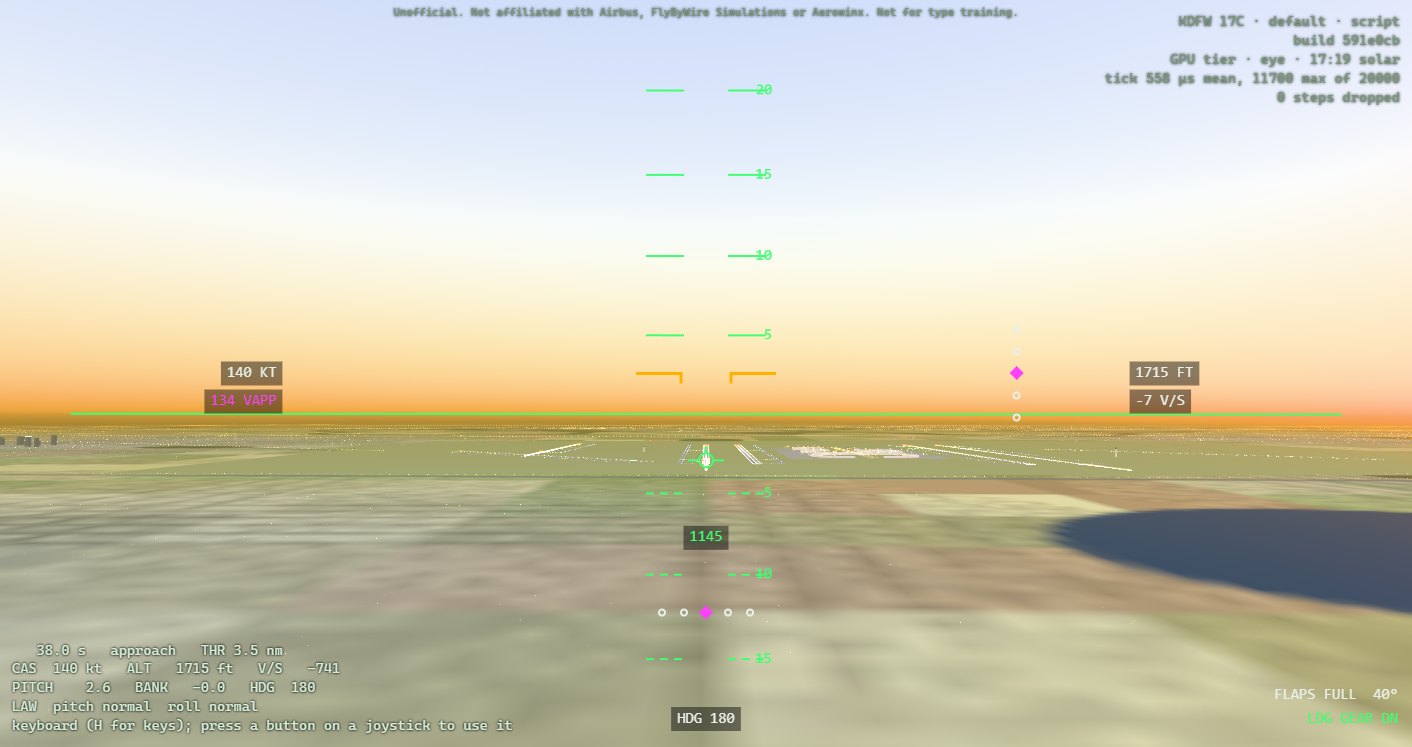
Then fly it yourself: the same address without crew=script. You start on the same approach, trimmed, flaps FULL and gear down.
The controls
A joystick
Plug it in and press any button: the page reads it through the browser's Gamepad API. A standard gamepad flies as it is. For any other device press M: the page asks for each control in turn — move it, Enter confirms, Escape skips. Then C to calibrate: move every control to both its ends, and press C again. The mapping and the calibration are kept for that device, in that browser. Reverse thrust is a held button: D-pad up on a standard gamepad, or the one you choose in the mapping.
The keyboard
| key | does |
|---|---|
| ↑ ↓ ← → | the sidestick: ↓ pulls, ↑ pushes, ← → roll; it springs back when you let go |
| Z X | rudder, left and right |
| PgUp PgDn | thrust levers forward and back, with detents at CL, FLX/MCT and TOGA |
| Shift + PgDn | reverse thrust, on the ground: with Shift held the levers go back past idle, clicking at reverse idle and at MAX REV; coming forward they stop at idle |
| R F | flaps, up and down a notch |
| G | gear, up or down |
| B | brakes, while held |
| P | parking brake |
| S | speedbrake |
| A | ground spoilers, armed |
| T Y U | rudder trim left, right, and reset |
| Home End | pitch trim wheel, nose down and nose up |
| M C | map a joystick; calibrate it |
| H | these keys, on the screen |
The view
| key or mouse | does |
|---|---|
| 1 to 9, 0 | cameras: 1 the pilot's eye, 2 the flight deck, 3 chase, 4 orbit, 5 tower, 6 flyby, 7 cabin, 8 skyline, 9 side, 0 satellite |
| N | the nose camera: the view ahead from the nose, with no overlay |
| V | the next camera |
| [ ] | the hour back and on, a quarter of an hour a press (GPU tier) |
| K | the debrief, on and off |
| L | the flown path, in the normal view |
| Ctrl+S | save the flight's recording |
| Ctrl+O | open a saved recording and watch it again (or drop the file on the page) |
| drag | look round the flight deck (2); swing round the aircraft (4, and the debrief) |
| wheel | zoom; in the orbit camera, closer and further |
| double click | the head and the zoom set back |
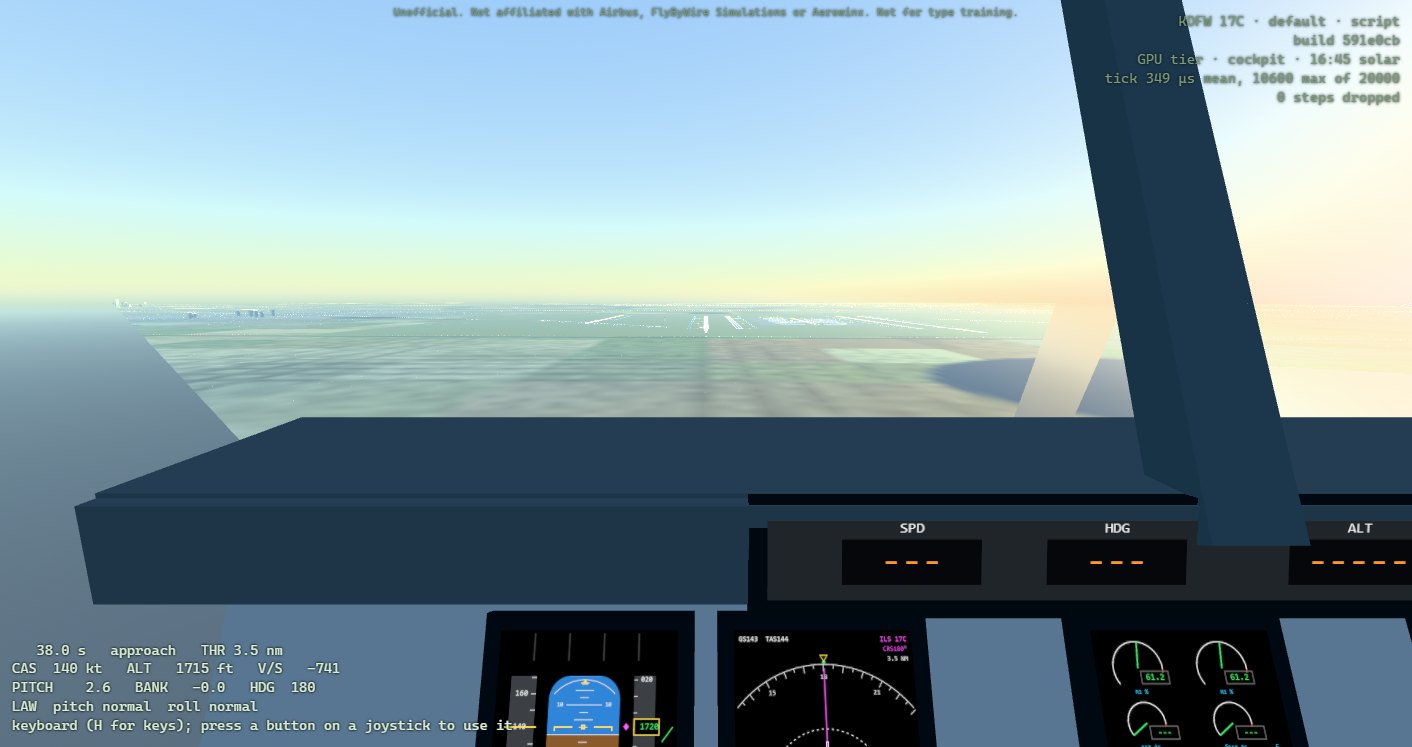
The pilot's eye (1) is the airframe's own eye point, and it is the only view with the overlay: the overlay's horizon and pitch ladder are drawn for exactly that eye.
VR. With a Quest headset, the VR button at the bottom right puts the view in the headset in stereo, starting in the flight deck's left seat: look round it by turning your head. Open the live simulator in the Quest's own browser, or use Chrome or Edge on a PC with Quest Link to keep your joystick. Where VR cannot be had, the button is dim and says why. It has not yet been tried on a headset.
Flying the ILS to 17C
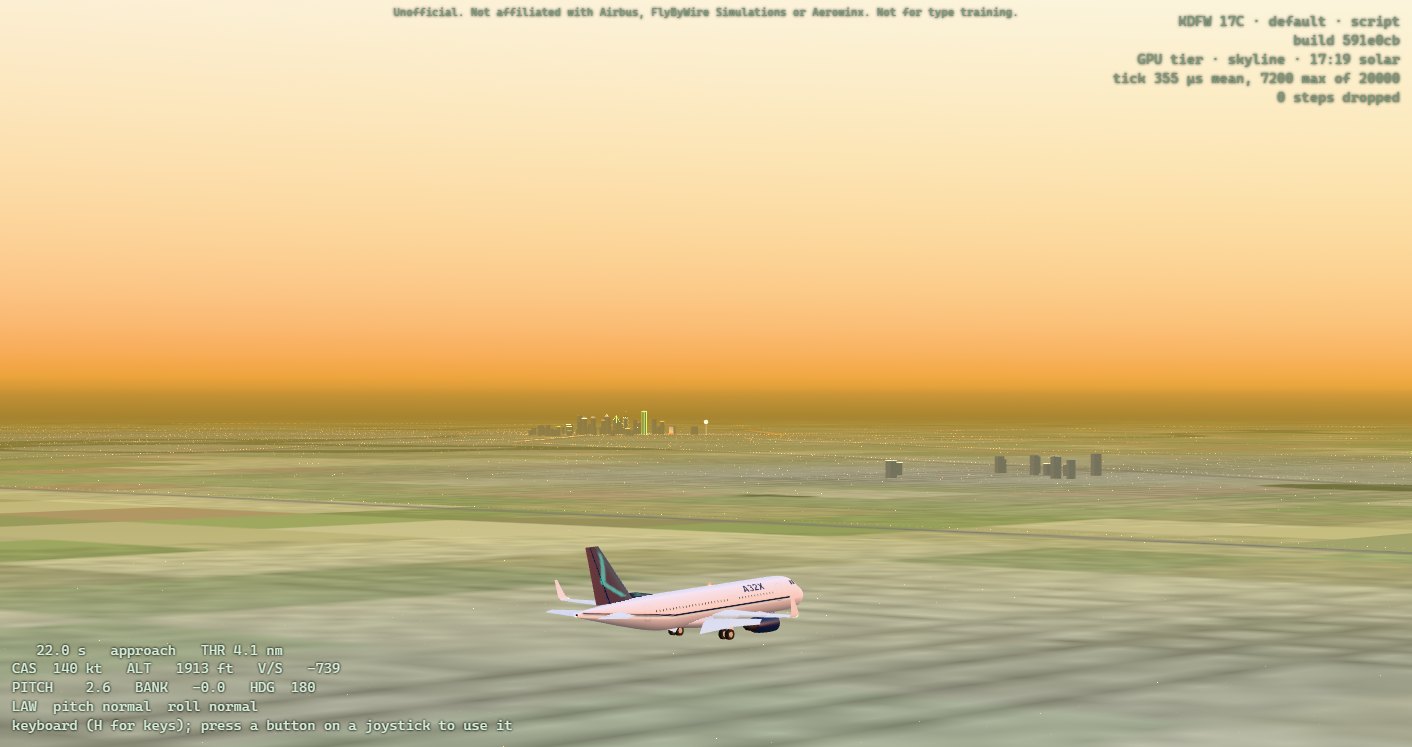
The approach start puts you 10 nm out on runway 17C's ILS, at 140 kt, in the landing configuration — flaps FULL, gear down — and trimmed. The glide is 3°: about 318 ft a nautical mile, 3,200 ft above the threshold at 10 nm.
Hands off, it holds. In normal law the sidestick asks for a change, not a position: let go and the aircraft holds its flight path, and its bank up to 33° (beyond that, let go and it rolls back toward 33°). Fly the ILS with small, brief inputs, then let go and watch the flight path symbol settle.
The beams. The magenta diamonds show where each beam lies from you: the localizer's below, the glideslope's on the right. Fly towards the diamond to centre it. Two dots is full scale; the gate allows one.
The speed. There is no autothrust: you hold the speed with the thrust levers (PgUp, PgDn). The target, Vapp, appears in magenta under the speed about 24 s after the start: the FAC's lowest selectable speed (VLS) plus 5 kt. From the normal 10 nm start it is fixed at 134 kt as you pass 1,000 ft above the threshold. Hold it between 5 kt below and 10 kt above.
The landing. The radio height, in the middle, turns amber below 400 ft (a failed radio altimeter shows an amber RA flag there instead). From about 30 ft begin a gentle, growing pull, and at 20 ft close the thrust levers (where the real A320 calls RETARD). The scripted crew flares that way and touches down at about 160 fpm, the nose 5.8° up, 330 m past the threshold. Keep straight on the centreline with the rudder; on the ground, Shift + PgDn pulls the levers into reverse thrust, and the brakes stop you. REV shows at the overlay's bottom right and in each N1 dial on the flight deck's engine display, as the A320's does: amber while a reverser's doors move, green once they are open; outside, the four doors on each engine's cowl swing out. While a reverser's doors move, either way, its engine holds idle, as the A320's FADEC does: push the levers forward while the doors stow, about two seconds, and there is no thrust until they are in.
Flare progressively. A normal approach and flare reach about 8° of angle of attack, some 2° short of where the protection begins. An abrupt pull to full back stick near the ground, in CONF FULL, can take this A320 past its stall: its lift curve starts to round at about 14° and peaks near 18°, and a fast full pull, tested from 8,000 ft, went past the peak. Flare with a steady, growing pull, never a snatch of the stick. (flight/README.md, "The protections", has the measurements.)
How the gate judges an approach
Every approach is judged from 1,000 ft above the threshold to the stop, by the flight core's own judge — the same code whether the flight is flown in the browser or replayed on the native build.
| measure | band | judged |
|---|---|---|
| localizer | within 1 dot | 1,000 ft to 50 ft |
| glideslope | within 1 dot | 1,000 ft to 50 ft |
| sink rate | under 1,000 fpm | 1,000 ft to 50 ft |
| configuration | gear down, flaps FULL | from 1,000 ft |
| speed | Vapp −5 / +10 kt | 1,000 ft to 50 ft |
| bank | within 7° | 1,000 ft to 50 ft |
| sink rate at touchdown | under 360 fpm | touchdown |
| load factor at touchdown | under 2.6 g | touchdown |
| pitch at touchdown | 0 to 10° | touchdown |
| touchdown point | 300 to 900 m past the threshold | touchdown |
| main gear from the centreline | within 5 m | touchdown and rollout |
An approach is stable when it never leaves a band between 1,000 ft and 50 ft and touches down inside every touchdown band, without a bounce. The bands are the Flight Safety Foundation's stabilised-approach criteria, Airbus's speed band and the A320's touchdown limits; ROADMAP.md says which is whose.
The P7 gate is five consecutive approaches flown by hand — joystick, browser — each of them stable, with their touchdown points within 150 m of their mean.
The verdict, and the flight's moments
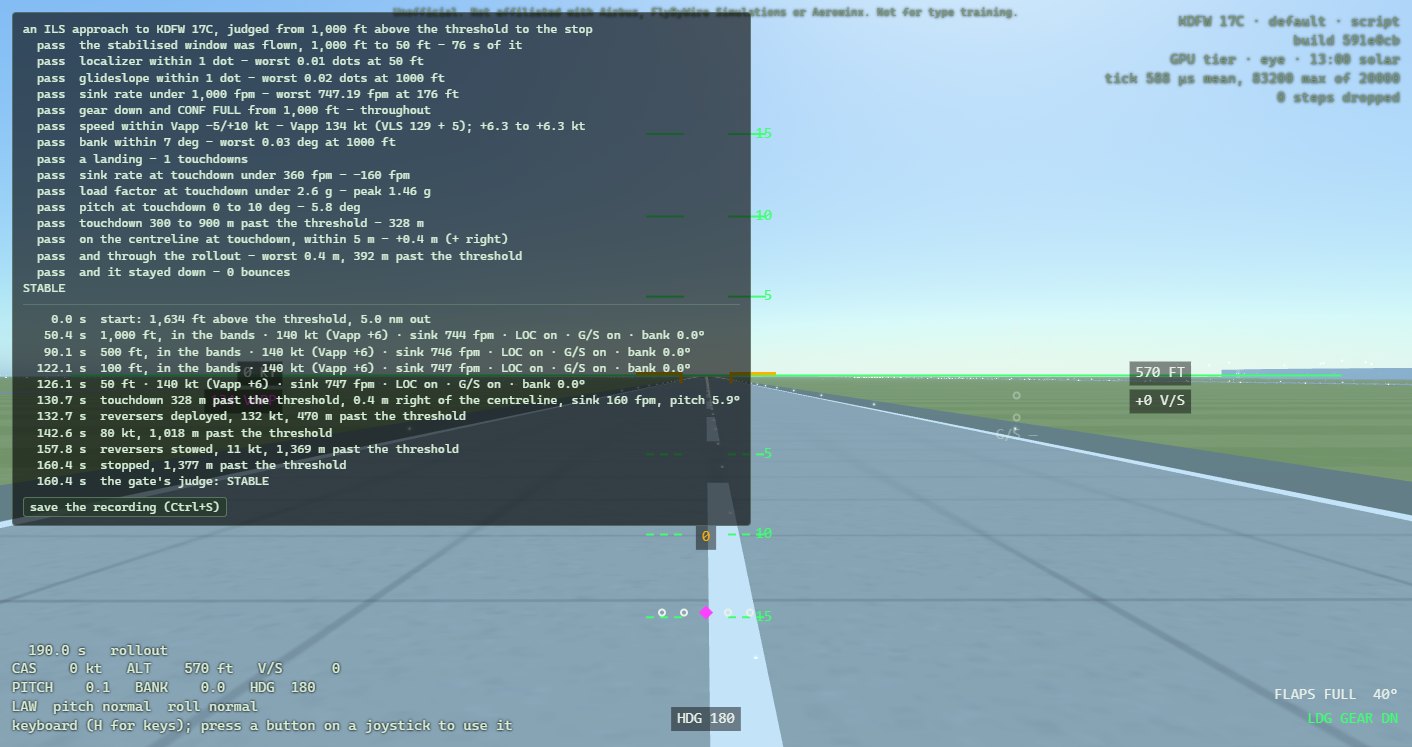
At the stop a panel opens on the left with the judge's verdict, a line a band: pass, FAIL, or dots where it could not judge, each with its worst value and where it happened; then STABLE, or NOT STABLE and how many bands broke.
Under it, the flight's moments in order, each with its simulated time: the start; each gate — 1,000, 500, 100 and 50 ft above the threshold — with the speed against Vapp, the sink, where you were on the beams and the bank; every time you left the gate's bands and came back; the gear and the flight laws when they change; the touchdown, a bounce, the reversers deployed and stowed, 80 kt and the stop, each with how far past the threshold; and the verdict.
The debrief
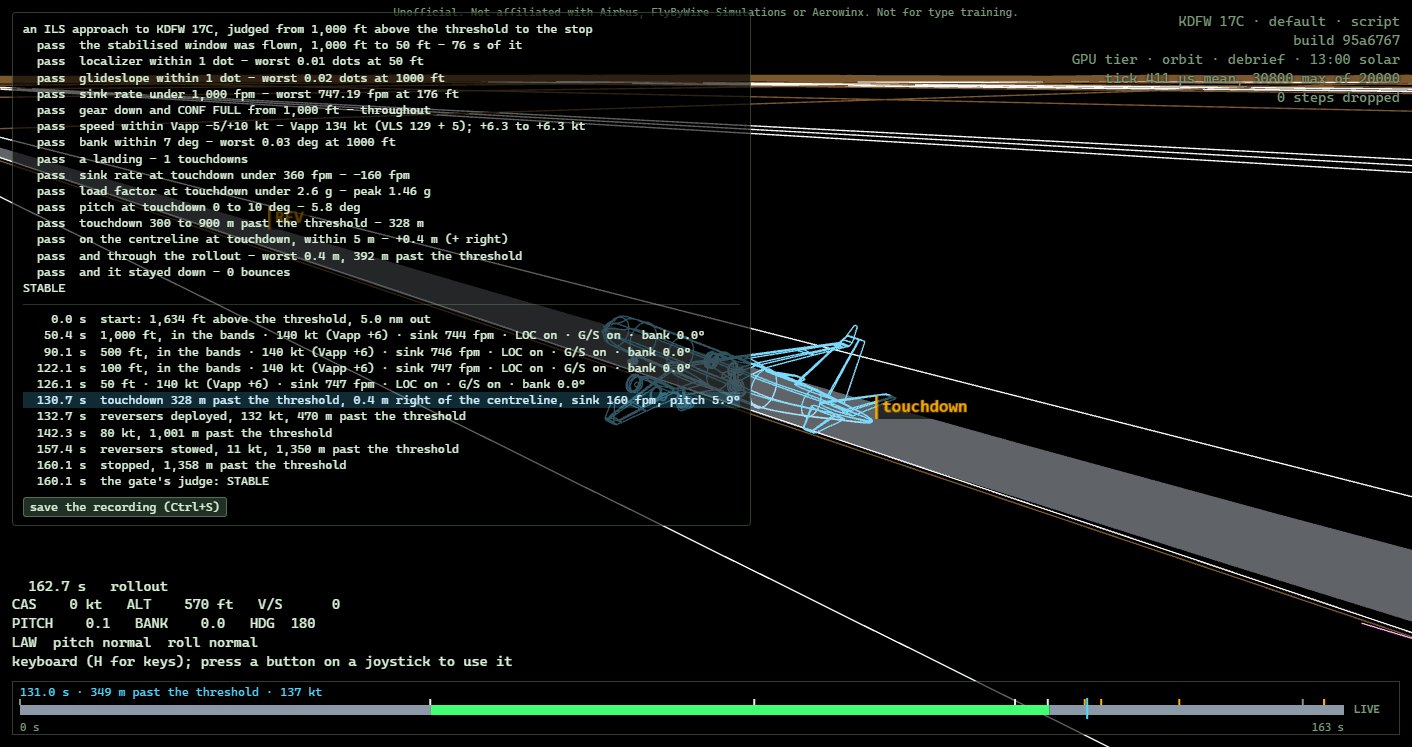
K turns the world to vectors on black, as an air-combat debrief does: the runways' outlines, the ILS as a tunnel of one-dot boxes every half mile, the aircraft as a wire outline, and the path you flew as a ribbon that keeps the wings' bank, green where you were inside the gate's bands, red where you were outside them, grey outside the 1,000 ft to 50 ft window. The moments are tagged on the path where they happened. Drag to swing round, the wheel to come closer. L draws the same path in the normal view.
Along the debrief's foot runs a timeline: the flight as a bar, coloured as the path is, its moments marked. Drag along it to go back through the flight: the aircraft is drawn in cyan where it was then, the camera follows it, and the bar says where you were and how you stood, height, speed against Vapp, sink, the beams and the bank. , and . step a second (with Shift, ten), Space plays it at the flight's own pace, and clicking a moment in the panel, the touchdown say, takes you there. LIVE, at the bar's right end, follows the flight again.
Saving a flight, and handing it in
Ctrl+S, or the panel's button, saves the flight's recording to the browser's downloads, named for what was flown:
a32x-a320-approach-20261101T1744Z-0289s.csvThe name gives the airframe, the scenario, when it was flown (UTC, so that five approaches sort in the order flown) and its length in simulated seconds. The file is the flight itself: the scenario and airframe it started from, who flew it and with what, the build of the simulator that flew it (its # build: line: the commit it was made from), the inputs of every one of its fifty steps a second, and at the end the judge's verdict as it stood when you saved. You can save at any time; the recording runs from the start to the moment you save. The verdict is the judge's at the stop: taxiing on afterwards, or rolling back on the reversers, before you save changes nothing in it.
The recording is what you hand in. The native build's judge, built from the same commit as the page that flew it, replays it and must reach the same verdict:
law_harness --replay a32x-a320-approach-20261101T1744Z-0289s.csv --expect ilsand the gate takes five of them at once:
law_harness --repeatable a.csv b.csv c.csv d.csv e.csvIt replays each in a fresh process, judges it, and checks that all five are stable, hand-flown, different flights, with their touchdowns within 150 m of their mean. Before that it checks the builds: the five must come from one build, a commit's, and be judged with the law_harness built from that same commit, or it refuses them and says why. A page built from changes no commit holds names itself with +dirty, and one that cannot name its commit unknown; the gate takes neither, so fly the gate on a release, or on a page built from a commit.
Five that passed count for a later release only if they still pass on it:
law_harness --rejudge a.csv b.csv c.csv d.csv e.csvbuilt from that release, replays them there, judges them by every rule of the gate, and names every band whose verdict differs from the one each recording was saved with. If any of the five is no longer stable, they are flown again on the release.
Watching a flight again. Ctrl+O, or the debrief panel's open a recording button, opens a saved recording in the page; so does dropping the file anywhere on it. The page starts again from the recording's own scenario and aircraft and flies it at about a dozen times its pace, at its own pace in the flare and while the reversers move, then opens the debrief over the whole flight, timeline and all. The panel sets the replay's verdict against the one saved with the recording: on the build that flew it, the same, line for line. Flown on another build, the status line says so in amber, and the panel names every band whose verdict changed, as --rejudge does. A replay is not saved again: its recording is the file you opened.
Starting elsewhere
Everything after index.html? in the address, joined with &:
| option | does |
|---|---|
scenario=approach | the ILS to 17C from 10 nm; its options follow, joined with ; |
…;distance=5 | from 5 nm instead (NM) |
…;loc=1;gs=0.5 | start off the beams: loc=1 a dot left of the localizer, gs=0.5 half a dot low; negative values, right and high |
…;cas=150 | at another speed (kt) |
…;wind=227/15 | a wind, from 227° at 15 kt; turbulence= a severity |
…;fail=green@420 | the instructor's failures, at a time in seconds: adr1–3, ir1–3, green, blue, yellow, elac1–2, sec1–3, joined with + to fail together, as in fail=adr1+adr2+adr3@300,green@420 |
scenario=air;alt=10000;cas=250 | level and trimmed over the threshold, to try the protections: alt from 2,000 ft above the field to 39,000 ft, cas 100 to 400 kt, lever=0..4 for the flaps; with crew=script, manoeuvre=hold, bank, pull, push, alpha or speed flies a protection as a test pilot would |
runway=LSZH14 | (in the scenario) Zurich's runway 14 instead of 17C |
airframe=737 | JSBSim's 737 flies instead of our A320 (it is still drawn as an A320) |
crew=script | the scripted crew flies |
time=dawn, day, golden, dusk, night | the hour; hour=16.5 sets one (solar time, GPU tier) |
tier=low, tier=high | the floor or the GPU tier |
cam=chase | start in a camera (eye, cockpit, chase, orbit, tower, flyby, cabin, skyline, side, satellite) |
trail=1, debrief=1 | start with the path drawn, or in the debrief |
aa=0 | no antialiasing |
For example, index.html?scenario=approach;distance=5;wind=200/12&time=night is a five-mile approach at night with a crosswind from the right.
When something is wrong
The status line says steps were dropped. The flight could not keep up with real time for a moment and skipped some steps, which it counts. A few at the start, or while the computer is busy with other work, do no harm; many mean the computer is too slow for this tier: try tier=low.
The joystick does nothing. Press one of its buttons first: browsers hide a gamepad until it is used. Then map it (M) and calibrate it (C).
The page says the airport could not be drawn, or another error in red at the top right: the page stopped rather than fly in a broken world. The message says which file and which row.
Nothing is kept between sessions. A private window, or a browser that keeps nothing for pages opened from disk, forgets the joystick's mapping each time; everything else works.
Where it comes from
The flight-control laws are FlyByWire's A32NX (GPLv3); the flight model is JSBSim (LGPL-2.1); the runways are OurAirports' and the terminals the FAA's airport diagram; the sky, the country, the city and the A320's outline are this project's own, drawn by code when the page starts. docs/provenance.md lists every source and what was taken from it.